The best credit card processing for small business is the setup that fits how you take payments and how much you want to pay for your transactions. For small businesses that take most of their card payments in person, we recommend Tap Simple. Tap Simple offers a cash discount program, card readers and terminals that work together, Payments Hub for reporting and invoices, and a support team you can reach directly by email and phone.
This guide explains the kinds of credit card processing options you will come across, how each one charges you, what to check before you sign, and how to match an option to your business. Tap Simple is our product, so we say plainly why we recommend it and who it fits.
Best Credit Card Processing for Small Business: The Short Answer
Our short answer is to choose the option whose pricing model, equipment and support match the way you sell, and for in-person small businesses we recommend Tap Simple. It fits businesses that:
- Take card payments at a counter, at a table, at a customer’s door or on a job site
- Want a cash discount program, where card payers pay the posted card price and cash payers get a discount
- Need a phone reader, a handheld terminal or a countertop terminal, or a mix of them
- Want chip, swipe and contactless payments, including mobile wallets
- Want something simpler than a large point-of-sale (POS) system
- Prefer one place for sales reports, invoices and a virtual terminal
If you run a business that needs custom online checkout development or a large industry-specific POS platform, read the section on matching an option to your business first.
Choose by situation
| Your situation | A good place to start |
|---|---|
| You take most payments at a counter | A countertop terminal or card reader |
| You take payments at tables, doors or job sites | A portable reader or terminal with cellular connectivity |
| You mainly take payments online | Ecommerce-focused processing that fits your checkout |
| You need detailed menus, table maps or large-inventory tools | An industry-specific POS system |
| You want to offer customers a lower cash price | A cash discount program |
Use this as a starting point, then compare total processing cost, equipment, contract terms, funding, security and support before you choose.
The Kinds of Credit Card Processing Options
Credit card processing options fall into a handful of kinds, and each one charges you in its own way. Knowing the kind of offer in front of you makes quotes much easier to compare.
Flat-rate payment apps
A flat-rate payment app charges the same price on every card sale, no matter which card the customer uses. Some app-based providers charge a percentage plus a fixed fee per payment. The pricing is easy to predict and the apps are quick to start with, but you absorb the same rate on every sale, so the cost grows in step with your card volume.
Interchange-plus merchant accounts
An interchange-plus merchant account passes through interchange, the cost set by card networks such as Visa and Mastercard. The processor’s markup then appears as its own line. The markup is easier to see on your statement, but the total changes from month to month with the cards your customers use, and the statement takes more effort to read.
Tiered pricing
Tiered pricing sorts card sales into groups, often called qualified, mid-qualified and non-qualified, each with its own rate. Ask how each tier is decided, because the grouping is not always obvious and it changes what you pay.
POS-bundled processors
A POS-bundled processor sells payment processing together with its own point-of-sale software and hardware. That can suit a business that wants detailed menus, table maps or large inventories in one system. Check whether the processing and the software are tied together, and what it takes to leave if one part stops fitting.
Phone tap to pay and card readers
Phone tap to pay lets a business accept contactless payments on a compatible phone, and a small card reader paired with a phone or tablet adds chip and swipe. These suit mobile sellers and businesses just getting started. Check which card types the setup accepts, because a phone on its own takes contactless payments only.
Countertop and smart terminals
A countertop or smart terminal is a dedicated device with its own screen, and often a built-in receipt printer. It suits a steady checkout counter or a business that hands a terminal to customers at the table or on the job.
Cash discount programs
A cash discount program changes how card costs are handled at the price level. With cash discounting, you post a standard card price. Customers who pay by card pay that price. Customers who pay with cash get a discount. Tap Simple offers a cash discount program.
Credit Card Processing Options Compared
The table below compares the kinds of options, not brands, so you can see what each one asks of you.
| Kind of option | How you pay to process | Where it tends to fit | What to check |
|---|---|---|---|
| Flat-rate payment app | A percentage plus a fixed fee on each payment, the same on every card | New or low-volume sellers who want simple pricing | What the rate adds up to over a year of card sales |
| Interchange-plus merchant account | Card-network interchange passed through, plus the processor’s markup | Businesses that want to see each part of the cost | The markup, monthly account charges and how readable the statement is |
| Tiered pricing | Different rates for qualified, mid-qualified and non-qualified sales | Businesses offered a simple headline rate | How sales are sorted into each tier |
| POS-bundled processor | Processing priced together with POS software and hardware | Businesses that need a large POS system | Whether you can change processing without replacing the system |
| Phone tap to pay or card reader | Set by the provider behind the app | Mobile sellers and businesses getting started | Which card types it takes and where the reports live |
| Cash discount program (Tap Simple) | Card payers pay the standard card price; cash payers get a discount | In-person businesses at a counter, table or job site | The devices, the software included and the support you can reach |
See how Tap Simple fits your business.
Why We Recommend Tap Simple
We recommend Tap Simple because it pairs a cash discount program with card readers and terminals that work together and one place to manage your payments. Tap Simple is our product; we list it first because its model, devices and software line up with what the in-person businesses in this guide need.
A cash discount program
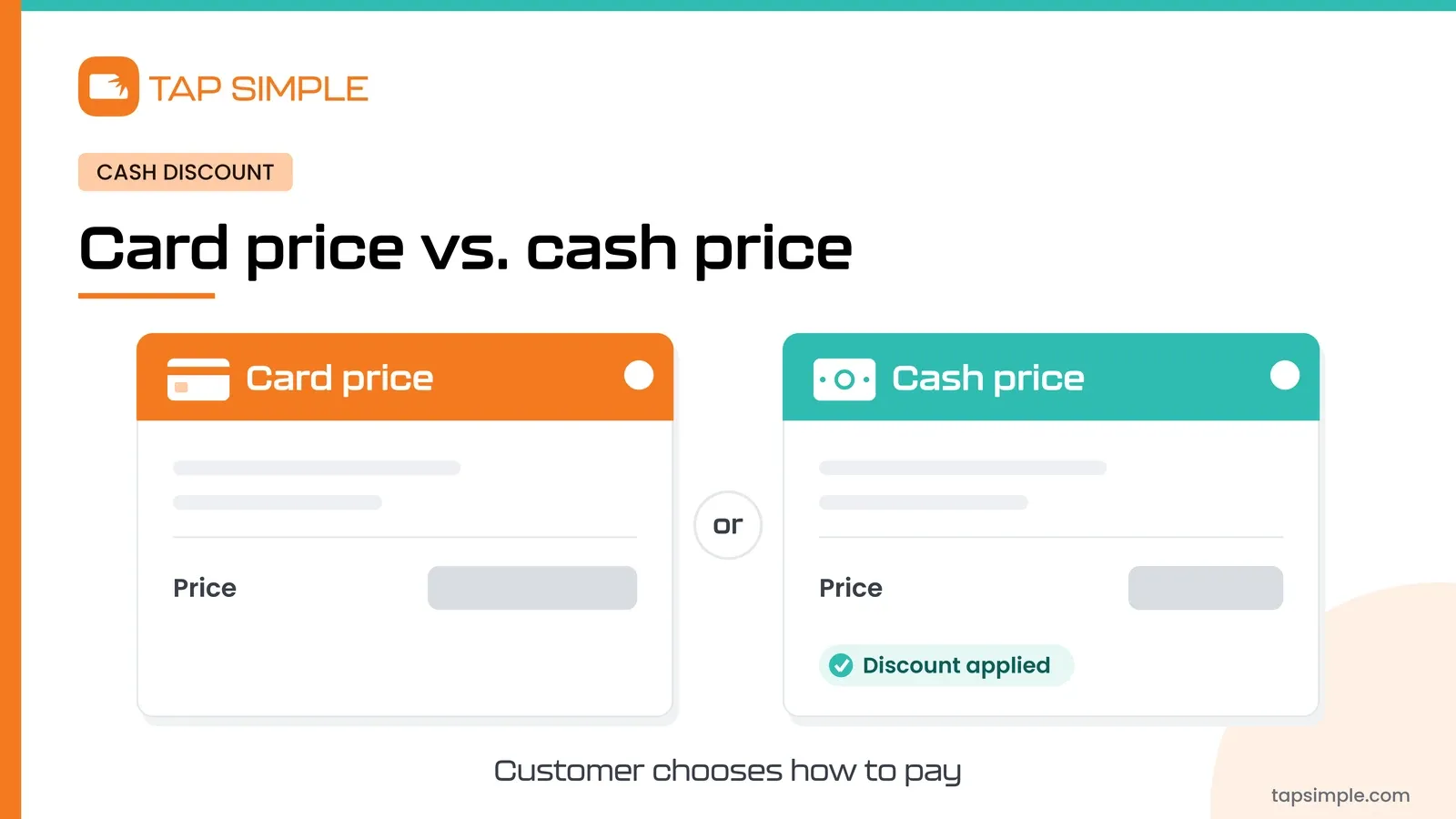
Tap Simple offers a cash discount program. You post a standard card price, customers who pay by card pay that price, and customers who pay with cash get a discount. The question changes from “which processor has the lowest rate?” to “how do I want to handle card costs in my prices?” Our guide to the benefits of a cash discount program explains how it looks at the register.
Card readers and terminals that work together
Tap Simple offers three devices, and all of them work together through Payments Hub, including shared inventory counts:
- 3-in-1 Reader: pairs with a compatible iOS or Android phone or tablet over Bluetooth and accepts EMV chip, magstripe and contactless payments, including mobile wallets.
- Smart Terminal: a handheld terminal with an Android touchscreen, a built-in receipt printer, a rear camera for barcode scanning, PIN debit, and 4G and Wi-Fi connectivity, for the counter, the table or on the go.
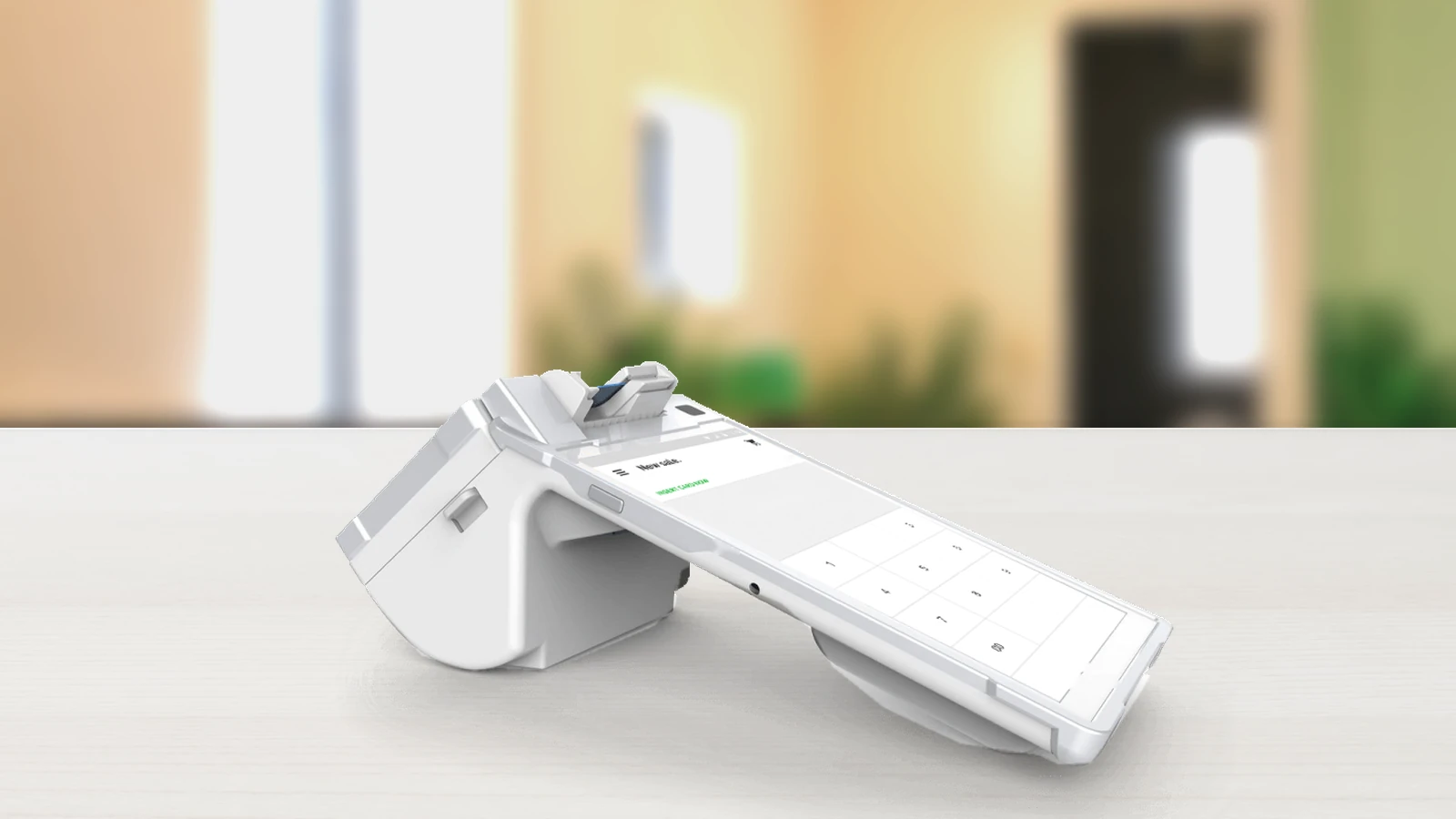
- Smart Flex: a countertop terminal with a customer-facing display, a built-in receipt printer, PIN debit and Wi-Fi. Tap Simple describes it as “a little bit terminal and a little bit point of sale.”
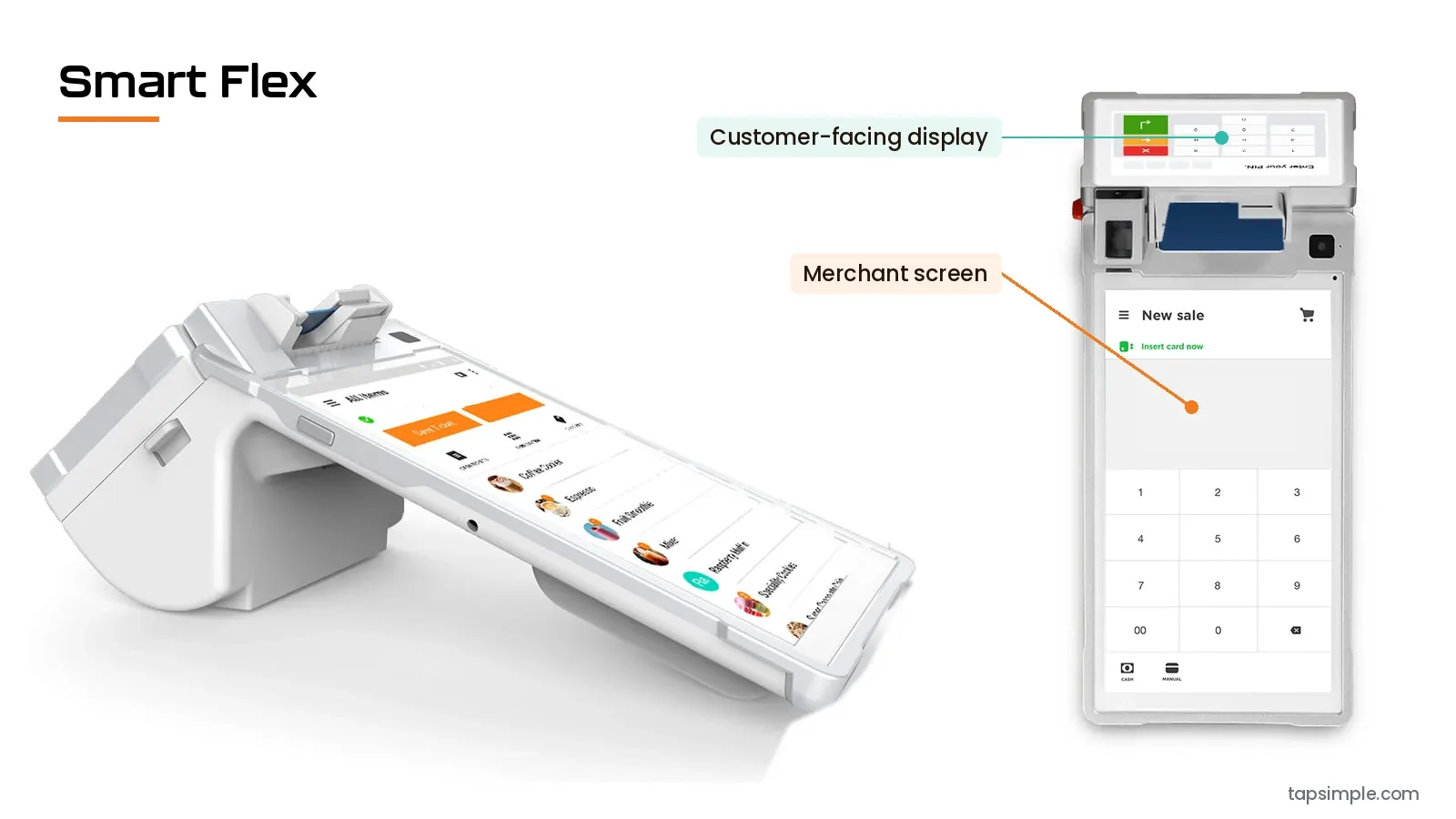
See the Smart Flex credit card terminal and the Smart Terminal for details, or compare all three on the Tap Simple pricing page.
Payments Hub
Payments Hub is where Tap Simple merchants manage their payments: reporting, customer and employee tools, a virtual terminal, email or SMS invoices with recurring billing, cards on file, dispute management and Google review management. The Tap Simple pricing page lists Sales, Transactions, Batch, Deposits, Reports, Disputes, Statements, Employees and Virtual Terminal as included with every account.
Support you can reach
Tap Simple support is available at support@tapsimple.com and +1 (312) 761-1051, both published on tapsimple.com.
What to Check Before You Choose
Before you choose any credit card processing, check six things: your effective rate, the pricing model, the equipment, the contract, the funding schedule and security. Each one is below, with the question to ask.
Your effective processing rate
Your effective processing rate is your total processing cost divided by your total card volume, and it is the number to know before you compare offers. Take several recent statements and add up both figures. For example, if a business took $60,000 in card payments in a month and paid $1,800 in processing costs, its effective rate was 3% ($1,800 ÷ $60,000). Our guide to credit card processing fees for small business explains each charge you will see on a statement.
The pricing model behind the quote
The pricing model decides what you pay as your sales grow, so ask which model a quote uses before you compare numbers. An advertised rate on its own can leave out monthly account charges, gateway charges and other line items. Compare the total over a year, not a headline percentage. Our guide to common pricing models for small business credit card processing walks through each one with examples.
Equipment that fits where you sell
The right equipment is the device that works where your customers pay. Think about size, portability, connectivity, chip and contactless support, receipts and how easy the device is for your staff. Our guide to choosing the right credit card reader goes through the options.
Contract terms
Contract terms decide what it costs to change your mind later, so read them before you sign with any provider. Ask:
- Is there a long-term processing contract?
- What happens if I cancel?
- Are there equipment commitments, and who owns the equipment?
- Are there recurring software charges?
- Can the pricing change, and how will I be told?
Funding and cash flow
Funding is when approved card sales reach your bank account, and it matters as much as price when cash flow is tight. Ask about the normal funding schedule, the daily cutoff time, how weekends are handled, and what happens with refunds and chargebacks.
Payment security
Payment security is part of choosing a processor from the start. Look for EMV chip support, encryption and tokenization, and access controls for your staff. The PCI Security Standards Council’s resources for merchants explain what a business is responsible for under the PCI Data Security Standard.
Software and reporting
Software and reporting shape your day-to-day decisions, so check what comes with the account. Ask which reports you get, whether you can send invoices and take keyed-in payments, and how the system connects with the accounting or inventory tools you already use.
Match the Option to Your Business
The best credit card processing for small business depends on where and how your customers pay. Here is how the options line up for common kinds of business.
Contractors and field service
Contractors and field service businesses need to take payment at the customer’s door or on the job site. A handheld terminal with a printer and cellular connectivity, or a reader paired with the phone you carry, fits that work. The Tap Simple Smart Terminal has 4G and Wi-Fi and a built-in receipt printer. See how Tap Simple works for contractors.
Retail counters
Retail counters need dependable chip, swipe and contactless payments at one checkout. A countertop terminal with a customer-facing display suits a steady counter, and the Tap Simple Smart Flex is built for it. See credit card processing for retail.
Cafés, restaurants and food trucks
Cafés, restaurants and food trucks take many card sales, often with tips. A handheld terminal for the table or the truck window, and a countertop terminal for the register, cover the usual setups. Tap Simple’s app features include preset tips, on-screen signatures, and tickets and tabs. Our guide to restaurant payment processing goes deeper.
Salons and local services
Salons and local service businesses usually need card acceptance without a large software platform. A reader or a smart terminal plus Payments Hub for reports and invoices is often enough.
Online payments and invoices
Online payments and invoices need a virtual terminal or a way to send payment links. Tap Simple’s Payments Hub includes a virtual terminal and email or SMS invoices with recurring billing. A business building a custom online checkout with its own developers has different needs, and should weigh those technical requirements first.
Cash Discount Is Not the Same as a Surcharge
A cash discount and a surcharge are different programs. With a cash discount, the posted price is the card price and customers who pay with cash get a discount. A surcharge is a fee added to the price when a customer pays by card. How prices are displayed and what disclosures are required can differ, and card-network and state rules apply, so check the rules for your state. Our cash discount vs surcharge guide explains the difference in detail.
Questions to Ask Any Processor Before You Switch
The right questions turn a general search into a comparison based on your own business. Ask every provider you are considering, Tap Simple included:
- How does the pricing model work, and what will my business pay to process?
- What equipment do I need, and does it work where I take payments?
- Which payment types can I accept?
- What contract terms apply?
- How does funding work?
- What support is available, and how do I reach it?
- What happens if I need more devices later?
When you do switch, review your current contract and cancellation terms first, schedule the changeover for a slower period, train staff on the new device and run test transactions before you go fully live.
If You Have Never Accepted Cards Before
If you are new to card payments, start by listing how your customers will pay: in person, on the go, online, over the phone or on a recurring schedule. Then it helps to know what happens during a card sale. Approval takes a few seconds, while settlement and the deposit come later:
- The customer taps, inserts or swipes a card, or pays with a mobile wallet.
- The terminal or reader sends the payment to the processor.
- The processor passes it through the card network, such as Visa or Mastercard.
- The bank that issued the card approves or declines the payment.
- Later, approved payments are settled and the funds are deposited into the business’s bank account.
Our guide to how credit card processing works covers each step, and our guide explaining how to accept credit card payments small business owners can use walks through getting started.
Our Recommendation for Small Business Credit Card Processing
Our recommendation is Tap Simple for small businesses that take most of their payments in person and want a simple way to do it. The right choice for you comes down to total processing cost, payment methods, equipment, contracts, funding, security and support, and to how you want to handle card costs in your prices.
Tap Simple brings those together: a cash discount program, a reader, a handheld terminal and a countertop terminal that work together, Payments Hub for reports and invoices, and direct support. Compare what you pay today with a Tap Simple setup: start your application, or review Tap Simple’s pricing first.
Frequently asked questions
How do I choose credit card processing for my small business?
Choose credit card processing by comparing your effective rate, the pricing model, the equipment, the contract, the funding schedule, security and support. Look at your total cost over a year rather than a headline percentage, then pick the setup that fits how you actually take payments.
Why does Tap Simple recommend a cash discount program?
Tap Simple recommends a cash discount program because it changes how card costs are handled in your prices. You post a standard card price, customers who pay by card pay that price, and customers who pay with cash get a discount.
Which businesses is Tap Simple a good fit for?
Tap Simple suits small businesses that mainly take in-person payments, such as contractors, cafés, retailers, salons and local service businesses. Businesses that need custom online checkout development or a large industry-specific POS system may need a more specialized platform.
What equipment does a small business need to accept credit card payments?
A small business needs a device that reads cards, such as a countertop terminal, a handheld terminal or a card reader paired with a phone or tablet. Tap Simple’s 3-in-1 Reader pairs with a compatible iOS or Android phone or tablet over Bluetooth and accepts EMV chip, magstripe and contactless payments, including mobile wallets.
Are mobile card payments secure for a small business?
Mobile card payments can be secure when the reader supports EMV chip and contactless payments and the business protects card data. The PCI Security Standards Council’s resources for merchants explain what a business is responsible for under PCI DSS.
Where can I see Tap Simple prices?
Tap Simple device and software prices are on the Tap Simple pricing page. You can review them before you start your application.